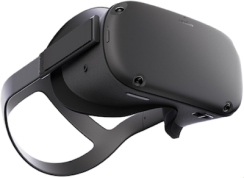
VR/XR Support in BimCT Viewer
BimCT Viewer provides comprehensive Virtual Reality (VR) and Extended Reality (XR) support through WebXR and OpenXR standards. This allows you to visualize BIM models in immersive 3D environments using compatible VR headsets.
Key VR Features
- WebXR & OpenXR Support - Compatible with all WebXR-enabled browsers and OpenXR headsets
- Full Controller Support - Meta Quest controllers, Oculus Touch, and other VR controllers
- VR UI Rendering - HTML/CSS UI elements rendered on 3D planes in VR space
- 3D Laser Pointer - Interact with 2D UI elements using 3D laser pointer projection
- Controller Visualization - Real-time rendering of VR controllers and laser beams
- VR Movement - Teleportation and real-time movement navigation
- Immersive BIM - Walk through buildings and inspect construction details in VR
Hardware Requirements
While WebXR is designed to work on all browsers and compatible devices, design models can be huge and some graphics processing devices may not be able to render them for Virtual or Augmented Reality with acceptable performance.
Recommended Desktop PC Specifications
To achieve a smooth VR experience with WebXR, we recommend:
- GPU: NVIDIA RTX 3070 or AMD equivalent (e.g., Radeon RX 6700 XT)
- VRAM: At least 8GB or more
- CPU: Modern multi-core processor (Intel i5/i7 or AMD Ryzen 5/7)
- RAM: 16GB or more
- Connection: High-speed USB 3.0+ for wired headsets, or stable WiFi 6 for wireless
Tested and Supported Headsets
We have thoroughly tested BimCT WebXR with the following VR headsets:
TESTED HEADSETS AND OFFICIAL HARDWARE REQUIREMENTS:
- Meta Quest 2 using Quest Link or AirLink (Full Controller Support)
- Oculus Rift and Oculus Rift S (Full Controller Support)
- HTC Vive Pro 2 (Laser Pointer Controller Support)
Standalone & Mobile VR
NOTE: BimCT WebXR can also run on smaller devices like Meta Quest 2 Standalone Headset's browser or some high-end Android mobile phone browsers with cardboard support, but with performance limitations. For optimal experience with large BIM models, we recommend using a desktop PC with Quest Link/AirLink.
Getting Started with WebXR
Enable WebXR in Your Application
To enable WebXR in your BimCT Viewer application, configure the renderer initialization options:
const options: RendererInitializationOptions = {
gui: {
useWebXRWindow: true, // Enable WebXR UI window
},
};
const renderer = new BimCTWebGL2Renderer(containerDiv, options);
await renderer.init();
renderer.beginDrawLoop();
Using WebXR with Quest Link
- Connect your Meta Quest 2 to your PC via USB-C cable
- Enable Quest Link in the headset
- Open a WebXR-compatible browser (Chrome, Edge)
- Load your BimCT Viewer application
- Click the VR button in the viewer UI to enter VR mode
Using WebXR with AirLink (Wireless)
- Ensure both PC and Quest 2 are on the same WiFi 6 network
- Enable AirLink in Quest 2 settings
- Connect wirelessly to your PC
- Open browser and load your BimCT Viewer application
- Enter VR mode using the VR button
Additional Resources
- BimCT VR Features - Learn more about VR capabilities
- Getting Started Guide - Set up your first BimCT application
- API Documentation - Complete API reference
- Live Demo - Try BimCT Viewer online
For VR support questions, contact contact@bimct.io